


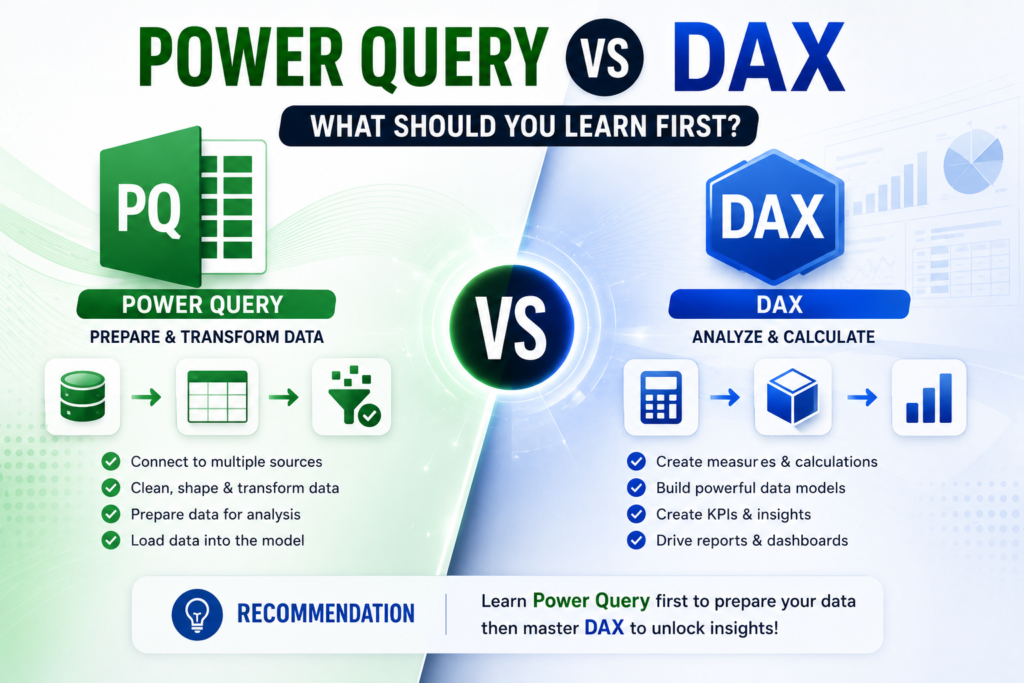
Power Query vs DAX is the first fork in the road for almost everyone who opens Power BI Desktop for the first time. Both sit inside the same tool, both feel intimidating on day one, and both are non-negotiable if you want to build reports that actually hold up. But you don’t need to learn them at the same time and trying to often slows beginners down instead of speeding them up.
Thank you for reading this post, don't forget to subscribe!In this guide we’ll break down what Power Query does, what DAX does, how they work together, and which one you should genuinely learn first based on how real analysts, students and career-changers pick it up in Power BI course.
What Is Power Query?
Power Query is Power BI’s data preparation engine. It’s the step where you connect to a data source Excel, SQL Server, SharePoint, a folder of CSVs, a web API and clean it up before it ever touches a report. Think of it as the ETL layer: Extract, Transform, Load.
Every click you make in the Power Query Editor removing a column, splitting text, merging two tables, fixing a date format is recorded as a step in the M language behind the scenes. You rarely need to write M yourself as a beginner; the point-and-click interface handles almost everything.
Typical Power Query tasks include:
- Removing duplicate rows and blank columns
- Merging or appending multiple tables into one
- Splitting a column (e.g. “First Last” into First and Last name)
- Changing data types so dates and numbers behave correctly
- Unpivoting wide spreadsheets into a clean, model-ready format
Microsoft’s own documentation covers this in depth if you want the official reference: Power Query overview — Microsoft Learn.
What Is DAX?
DAX (Data Analysis Expressions) is the formula language that lives inside your data model. Once your data is clean thanks to Power Query DAX is what turns rows and columns into actual business answers: total revenue, year-on-year growth, average order value, customer churn rate.
If you’ve used Excel formulas before, DAX will look familiar at first glance (SUM, IF, CALCULATE), but it behaves very differently under the hood because it works across entire tables and relationships rather than single cells. This is where most beginners hit a wall — not because the syntax is hard, but because the concept of row context and filter context takes time to click.
Typical DAX tasks include:
- Writing measures like Total Sales = SUM(Sales[Amount])
- Building time-intelligence calculations (year-to-date, month-over-month)
- Creating calculated columns for custom groupings
- Building KPIs and ratios that update as filters change
For the official reference, see DAX overview — Microsoft Learn.
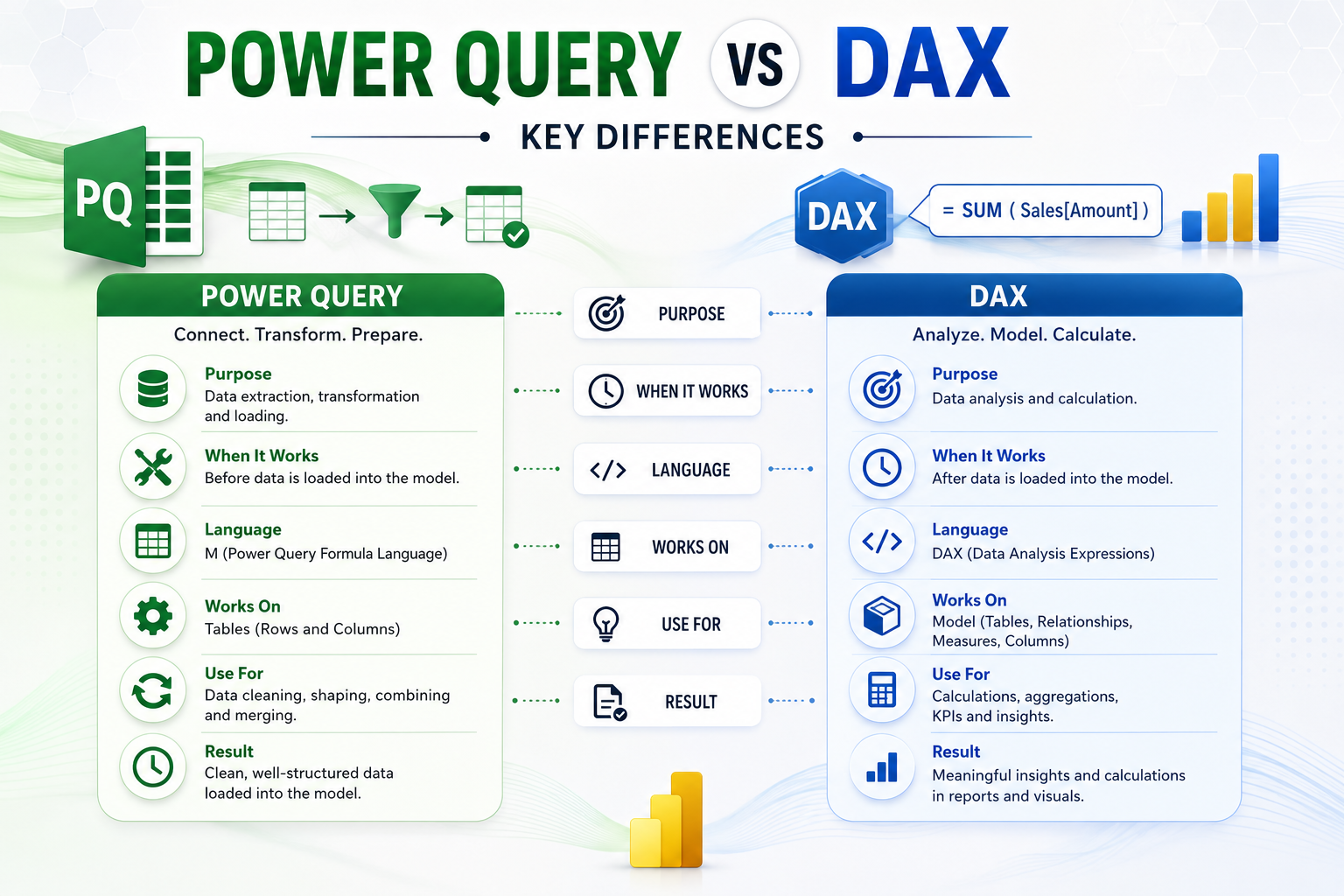
Power Query vs DAX: Key Differences
| Aspect | Power Query | DAX |
| Purpose | Gets, cleans and shapes data before it loads into your model | Calculates and analyses data already inside your model |
| Stage of the workflow | Comes first — the “ETL” (extract, transform, load) step | Comes second — the analysis and reporting step |
| Language | M language (functional, step-based) | DAX (formula language, similar to Excel) |
| Typical tasks | Removing duplicates, merging tables, splitting columns, changing data types | Building measures, calculated columns, KPIs, time-intelligence |
| Where you use it | Power Query Editor in Power BI, Excel and Dataflows | Data view, Report view and the formula bar in Power BI |
| Learning curve | Easier for beginners — mostly clicking through a UI | Steeper — needs a grasp of row context and filter context |
| Skips it and you get… | Messy, duplicated, hard-to-model data | A clean model but no real insights or KPIs |
Power Query vs DAX: Which Should You Learn First?
Short answer: learn Power Query first. Almost every experienced Power BI trainer and analyst will tell you the same thing, and it comes down to one simple fact — DAX can only be as good as the data you feed it. A brilliant DAX measure built on messy, duplicated, badly-typed data will still give you the wrong number.
Why Beginners Should Start with Power Query
- It’s more visual and forgiving you can see the effect of every click immediately
- It builds your “data sense” you learn what clean data actually looks like
- Mistakes are easy to undo (just delete the step) compared to debugging a broken DAX formula
- Most real-world Power BI problems (wrong totals, broken relationships) trace back to a Power Query step, not a DAX formula
When to Move on to DAX
Once you’re comfortable shaping data usually within the first two to three weeks of consistent practice start layering in basic DAX: simple SUM and COUNT measures, then CALCULATE, then time-intelligence. Learning DAX on top of data you’ve already cleaned yourself makes the logic far easier to follow, because you already understand the shape of the table you’re writing formulas against.
This is also the order used in structured, instructor-led programs like Logitrain’s Power BI training, which sequences Power Query fundamentals before DAX so learners aren’t trying to debug two new concepts at once.
A Real-World Example: Power Query and DAX Working Together
Say you’re building a sales dashboard. Power Query pulls in three separate spreadsheets (one per region), removes test rows, fixes the date column, and merges everything into a single Sales table. That’s the preparation stage no DAX involved yet.
Then, in the model, you write a DAX measure: Total Sales = SUM(Sales[Amount]), followed by YoY Growth % = DIVIDE([Total Sales] – [Total Sales PY], [Total Sales PY]). None of that formula would mean anything if the underlying table still had duplicate rows or a broken date format which is exactly why the order matters.
How to Learn Both Faster with a Structured Power BI Course
Self-teaching Power Query and DAX from scattered YouTube videos works, but it usually takes months of trial and error to join the dots. A structured, instructor-led Power BI course compresses that timeline by teaching Power Query and DAX in the right sequence, with real datasets and a certified trainer to explain the “why” behind each step — not just the “how.”
Logitrain runs live online Power BI classes for learners across Sydney, Melbourne, Brisbane, Perth and Adelaide, so you get the same instructor-led structure wherever you’re based in Australia. If you want to go deeper into the data-modelling and analytics side afterwards, Logitrain’s data analytics courses build directly on top of the Power Query and DAX skills covered here.
You can see the full range of certifications and course dates on logitrain.com.au, Logitrain’s main training site.
Frequently Asked Questions About Power Query vs DAX
Is DAX harder to learn than Power Query?
Generally, yes. Power Query is mostly click-based and visual, while DAX requires understanding row context and filter context concepts that take practice to internalise, even for people with strong Excel skills.
Can I skip Power Query and just learn DAX?
You can, but you’ll hit a ceiling quickly. Most “my numbers are wrong” problems in Power BI actually trace back to messy or duplicated data that should have been fixed in Power Query, not to the DAX formula itself.
How long does it take to learn Power Query and DAX?
With consistent practice, most learners are comfortable with core Power Query tasks in two to three weeks, and can write basic DAX measures within four to six weeks. A structured course typically compresses this further with guided exercises.
Do I need to know Excel before learning Power Query or DAX?
It helps but isn’t mandatory. Excel users usually pick up DAX syntax faster since it resembles Excel formulas, but Power Query has its own logic that’s learnable from scratch.
Which is more useful for a Power BI job Power Query or DAX?
Both are checked in almost every Power BI interview and job description. Employers expect Power Query for data prep and DAX for building measures and KPIs you need both to be job-ready, just not on day one.
Final Verdict: Power Query vs DAX
If you’re choosing where to start, start with Power Query. It’s the foundation everything else in Power BI sits on, it’s more forgiving for beginners, and it sets you up to actually understand DAX when you get there rather than memorising formulas you don’t fully trust. Once you’re confident shaping and cleaning data, move into DAX and start turning that clean data into real business answers.
Ready to learn both in the right order, with a certified trainer and real datasets? Explore Logitrain Power BI course and get started with live online classes available across Australia.