


Power BI skills Australia employers are asking for in 2026 look different from even two years ago. It’s no longer enough to drag a few fields onto a canvas and call it a dashboard. Job ads now expect DAX, Power Query, working SQL knowledge, real data modelling, and increasingly, an understanding of Microsoft Fabric the platform Power BI now sits inside rather than beside. This guide breaks down exactly which skills matter, in what order to learn them, and which certifications and courses actually move the needle in Melbourne, Sydney, Brisbane and beyond.
Thank you for reading this post, don't forget to subscribe!If you’ve outgrown a beginner Power BI course Australia and want to know what comes next, this is the map. Whether you’re looking to advance your data visualisation, analytics, or business intelligence skills, our team can help you choose the right training path. Contact us on 1800 159 151 for expert guidance and course recommendations.
Why Power BI Skills Are in High Demand Across Australia in 2026
Power BI remains the default reporting tool inside most Australian organisations already running Microsoft 365 which is most of them. What’s changed is the depth expected: employers aren’t just hiring people who can build a chart, they’re hiring people who can model data properly, write efficient DAX, and increasingly work inside Microsoft Fabric rather than standalone Power BI. That shift is exactly why a Power BI certification Australia alone often isn’t enough anymore without the underlying skills to back it up.
The Core Power BI Skill Stack: What Employers Actually Want
DAX Data Analysis Expressions
A DAX course Australia teaches the formula language behind every measure, calculated column and KPI in a Power BI report. Beyond basic SUM and AVERAGE formulas, a Power BI DAX course Australia worth taking will cover time intelligence, filter context, variables, and iterator functions the difference between a report that’s technically correct and one that’s fast, accurate and maintainable at scale.
Power Query Data Prep and Transformation
A Power Query course Australia covers the transformation layer that happens before any visual gets built cleaning columns, merging tables, handling errors, and building repeatable steps so a report refreshes correctly every time new data lands. Most Power BI performance problems trace back to Power Query decisions made early, which is why this skill sits right alongside DAX in importance.
SQL Talking to the Data Behind Power BI
Power BI increasingly connects straight to SQL databases and Fabric warehouses rather than flat files, so a working knowledge of SQL is now expected in most Power BI job ads. You don’t need to be a database administrator, but you do need to read and write queries well enough to pull the right data before Power Query and DAX even get involved.
Data Modelling and Semantic Models
Power BI data modelling course content covers star schemas, relationships, and increasingly, Power BI semantic model training the shared, governed layer that multiple reports can be built on top of. Employers moving toward Microsoft Fabric particularly value this skill, since semantic models are central to how Fabric organises analytics across a whole organisation.
Report Building and Data Visualisation
A Power BI report building course and Power BI data visualisation course round out the stack knowing which chart type actually communicates a trend, how to design a dashboard someone reads in ten seconds, and how to avoid the cluttered, over-decorated reports that undermine good data underneath them.
Power BI Service, Governance and Row-Level Security
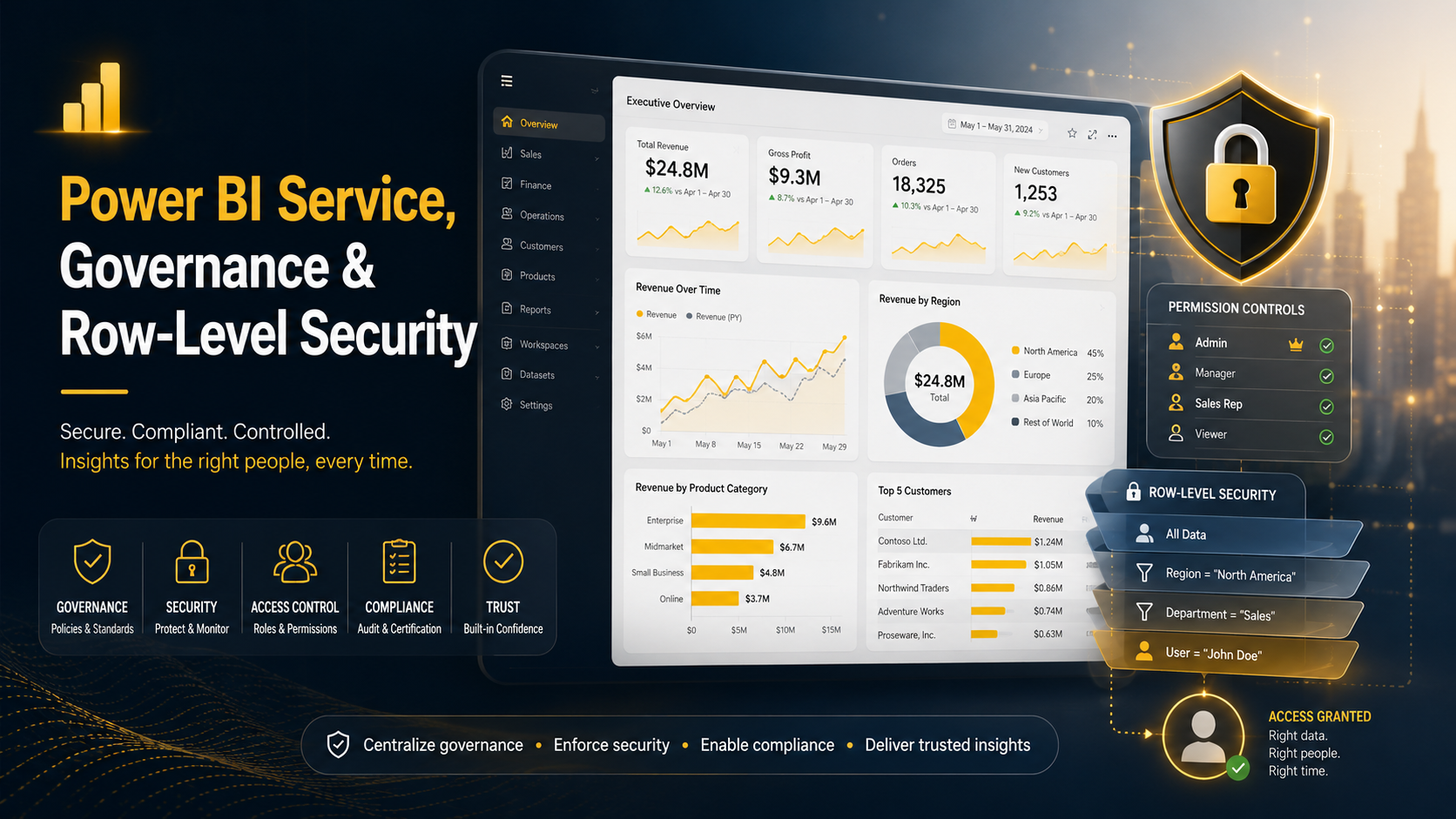
Once a report is built, Power BI Service training covers publishing, scheduled refresh, workspaces and sharing permissions the operational side most beginner courses skip entirely. For anyone working in a larger Australian organisation, Power BI row level security training and Power BI governance training matter just as much as building the report itself: knowing how to restrict data by region or team, and how to keep a growing library of reports from turning into unmanaged chaos, is exactly what separates a hobbyist from someone trusted with enterprise reporting.
For teams working with more advanced analysis, a Power BI Python visuals course or Power BI R visuals training adds custom statistical visuals beyond Power BI’s native chart types a smaller niche, but a real differentiator for analytics-heavy roles.
Microsoft Fabric: Where Power BI Is Heading in 2026
Microsoft Fabric unifies data engineering, data warehousing, real-time analytics and Power BI into a single platform built around OneLake, and it’s rapidly becoming the environment Power BI professionals are expected to understand rather than treat as optional. Reports and semantic models increasingly live inside Fabric workspaces, connected to Fabric Lakehouses and Warehouses instead of sitting on their own.
Microsoft’s own overview of the platform is worth reading directly on the Microsoft Fabric product page, since the platform continues to add capabilities regularly.
PL-300 vs DP-600: Which Certification Should You Get First?
PL-300 course Australia training leads to the PL-300 certification Australia Microsoft Certified: Power BI Data Analyst Associate still the standard entry credential covering DAX, data modelling, and report building fundamentals.
The newer DP-600 (Microsoft Certified: Fabric Analytics Engineer Associate) sits a level up, testing semantic models, Fabric Lakehouses and Warehouses, and querying with SQL, DAX and KQL together. Most training guides recommend PL-300 first if you’re newer to Power BI, since it builds the structured foundation DP-600 assumes you already have; if you already have a couple of years of hands-on Power BI experience, moving straight to DP-600 is realistic.
Full exam details for both sit on Microsoft Learn: the PL-300 certification page and the Fabric Analytics Engineer Associate (DP-600) certification page.
Best Power BI Courses and Training Options in Australia
Course formats vary quite a bit a few categories worth knowing before you pick one:
- Beginner Power BI course Australia — covers the interface, basic visuals, and simple DAX for people brand new to the tool.
- Intermediate Power BI course Australia — moves into Power Query, relationships, and more advanced DAX measures.
- Advanced Power BI course Australia — data modelling at scale, performance tuning, governance, and Fabric integration.
- Power BI course with certificate Australia — online or in-person options that end in a certificate for your resume, often paired with PL-300 exam preparation.
- Power BI workshop Australia — shorter, intensive sessions for people upskilling one specific area fast, like DAX or dashboards.
Whichever format you choose, the strongest Power BI courses Australia offers combine all five core skills DAX, Power Query, SQL, data modelling and report building rather than teaching visuals in isolation.
Power BI Training Across Melbourne, Sydney and Brisbane
At Power BI Course Australia, training runs from beginner Power BI course Australia level through to advanced Power BI course Australia content covering DAX, Power Query, data modelling and Microsoft Fabric fundamentals.
- Power BI course Melbourne — including Power BI DAX course Melbourne and Power BI dashboard course Melbourne options, plus PL-300 course Melbourne exam preparation.
- Power BI course Sydney — Power BI training Sydney covering Power BI classes Sydney through to advanced Power BI course Sydney content and PL-300 course Sydney preparation.
- Power BI course Brisbane — Power BI workshop Brisbane and Power BI dashboard course Brisbane options, with PL-300 course Brisbane pathways for certification.
Every city also has Power BI online course Australia and Power BI training online Australia options, so a live workshop isn’t the only route if you’re studying around a full-time job.
Power BI Skills Australia: Frequently Asked Questions
Do I need to know SQL before learning Power BI?
No, you can start Power BI without SQL, but you’ll hit a ceiling quickly. Most intermediate and advanced roles expect at least basic SQL for pulling and filtering data before it reaches Power Query, so it’s worth adding early rather than leaving it until you’re job hunting.
Is PL-300 still worth it now that Microsoft Fabric exists?
Yes. PL-300 remains the standard entry-level Power BI credential and the assumed foundation for DP-600. Employers still list it constantly in Australian job ads, and it’s the more accessible starting point if you’re newer to the tool.
How long does it take to learn DAX properly?
Basic DAX simple measures, SUM, COUNT, basic time intelligence takes most people a few weeks of regular practice. Genuinely strong DAX, including filter context and variables, typically takes three to six months of hands-on report building, which is why a structured Power BI DAX course Australia speeds this up significantly compared to learning it alone from documentation.
What’s the difference between Power Query and DAX?
Power Query transforms and cleans your data before it loads into the model think of it as data prep. DAX creates calculations and measures on data that’s already loaded. Almost every Power BI report needs both, and confusing the two is one of the most common beginner mistakes.
Should I learn Microsoft Fabric now or wait?
If you’re already comfortable with core Power BI, starting now is reasonable Fabric adoption is accelerating across Australian organisations moving away from standalone Synapse or on-premises reporting. If you’re still building DAX, Power Query and data modelling fundamentals, focus there first; Fabric assumes that foundation.
Are Power BI skills still valuable with AI tools like Copilot improving?
Yes Copilot in Power BI speeds up first-draft measures and visuals, but someone still needs to build the underlying data model correctly, validate what Copilot produces, and understand governance and security settings. The technical foundation matters more, not less, once AI is generating more of the surface-level work.
Which Power BI skill should I learn first?
Start with Power Query and basic DAX together, since almost nothing in Power BI works well without clean data and simple measures. Data modelling comes next, then report design, then SQL and governance as you move into more senior or enterprise-facing roles.
Final Thoughts
Power BI skills Australia employers are hiring for in 2026 go well beyond drag-and-drop dashboards DAX, Power Query, SQL, solid data modelling, governance, and a working understanding of Microsoft Fabric now make up the real skill stack. Build them in that order, back it with PL-300 (and DP-600 once you’re ready), and choose a Power BI course Australia program that covers the full stack rather than visuals alone that combination is what actually gets noticed in a Melbourne, Sydney or Brisbane job application.